

Server Browser
Jurasic Penne
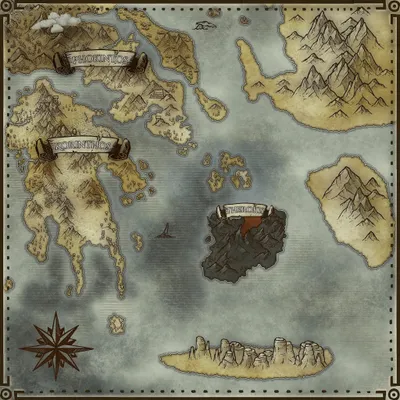
Astraeos
Population
Loading population history...
Last 24 hours: Average players 0; recorded peak 0.
Installed Mods
20 mods
Awesome Spyglass!
ID: 6950581
Custom Dino Levels
ID: 6601211
Super Cryo Storage
ID: 8482342
Cybers Structures QoL+ (Crossplay)
ID: 9067272Show more (16)Show less

Net Pro
ID: 7538558
Human_NPCs_ASA
ID: 8546081
Visual Storage (Cross Platform)
ID: 6623820
Multi Forge
ID: 6569456
Arkitect Structures Remastered
ID: 8636502
Klinger Additional Rustic Building
ID: 6562241
Awesome Teleporters!
ID: 6897266
Mining Drill (Cross-Platform)
ID: 6571069
TG Stacking Mod 1000-90
ID: 7739800
Shoko's Polymer Forge
ID: 7576870
Dino Retrieval Terminal
ID: 6568622
Dino Mindwipe
ID: 6567492
Wall'n'Floor Decor
ID: 9057727
Castle Craft Decor
ID: 7759021
Small Tek Replicator
ID: 6568458
Glider Plus | Gaia Studios
ID: 7648375How to join
- Open ARK: Survival Ascended and choose Join Game.
- Select Unofficial. Enable Show Player Servers if available.
- Search for Jurasic Penne and refresh the list.
- Select the server on Astraeos and press Join. Enter the server password if prompted. Allow the required mods to download.
Can't find the server?
Clear map and mode filters, then search for part of the name. For a password-protected server, enable Show Password Protected Servers. Check that your game is updated and your platform is listed in Server details.
Give your ARK community a home
Create your own custom server page on Arkbuddy. Share your server details, rates, events, and live population in one place.
Affiliate
Rent an ARK server on Nitrado
Launch your own world in minutes. Use the link for your game version below.