
Server Browser
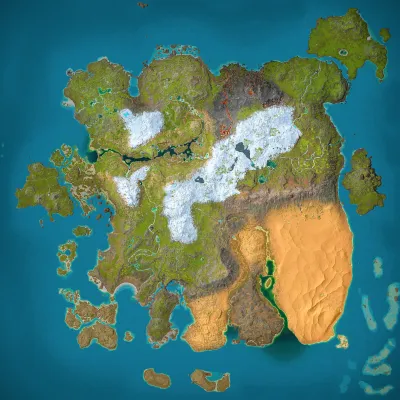
Kais Server
Ragnarok
Population
Loading population history...
Last 24 hours: Average players 0; recorded peak 0.
Installed Mods
18 mods
Cybers Structures QoL+ (Crossplay)
ID: 9587360
Awesome ARK Tools
ID: 9500243
S-Dino Variants
ID: 9568791
Paleo ARK - Evolution | Apex Predators (Crossplay)
ID: 9505875Show more (14)Show less

Shiny! Dinos Ascended
ID: 9524492
Super Cryo Storage
ID: 9591467
Arkitect Structures Remastered
ID: 9555654
ARKomatic
ID: 9416547
Paleo ARK EVO+ | Native Aquatics (Crossplay!)
ID: 9417201
JVH Landscaping
ID: 9416886
Additions Ascended: Edmontonia
ID: 9403641
Moro's Gigantophis (Freemium)
ID: 9403468
Gryphons
ID: 9417245
Ocean View Ascended
ID: 9498978
Water Chambers - Dynamic Aquariums, Pools & Water Features
ID: 9420552
AllInOne
ID: 9515977
Draconic Chronicles (Crossplay) (Dragons, Wyverns and other Draconic Creatures)
ID: 9572884
Runic Wyverns
ID: 9583147How to join
- Open ARK: Survival Ascended and choose Join Game.
- Select Unofficial. Enable Show Player Servers if available.
- Search for Kais Server and refresh the list.
- Select the server on Ragnarok and press Join. Enter the server password if prompted. Allow the required mods to download.
Can't find the server?
Clear map and mode filters, then search for part of the name. For a password-protected server, enable Show Password Protected Servers. Check that your game is updated and your platform is listed in Server details.
Give your ARK community a home
Create your own custom server page on Arkbuddy. Share your server details, rates, events, and live population in one place.
Affiliate
Rent an ARK server on Nitrado
Launch your own world in minutes. Use the link for your game version below.